Why I Built My Own Local AI Workstation

Over the past couple of years AI has gone from an interesting research topic to something that is beginning to reshape how software is written, how businesses operate, and how knowledge work happens. Most people interact with AI through cloud services such as ChatGPT, Claude or Gemini. They are incredibly capable systems, but they are also black boxes running somewhere else on infrastructure we never see.
As a software architect, I wanted to understand what was really happening under the hood. I wanted to experiment with models directly, see how they behaved, and learn what the real hardware requirements looked like. That curiosity eventually turned into a small project: building my own local AI workstation capable of running modern models at home.
The aim was not to compete with the large cloud providers. Instead, the goal was to create an environment where I could experiment freely, understand the technology properly, and explore what is now possible using consumer hardware.
Building a PC Again After Two Decades
I haven't actually built a PC from scratch in over twenty years. The last time I remember doing it was in 2002 when I was at Uni.

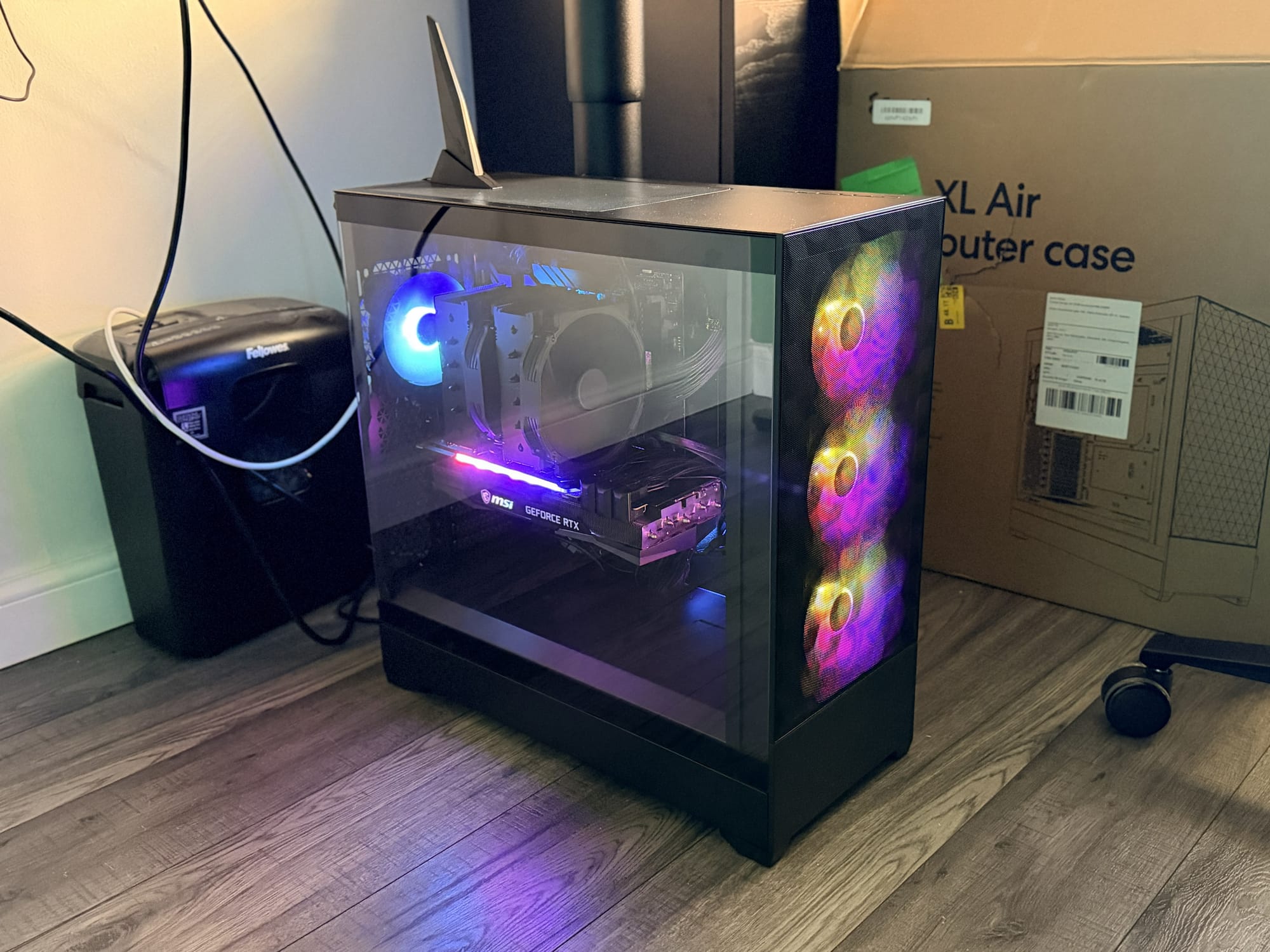
The one thing that really surprised me was the size of modern CPU coolers. They are enormous compared to what I remember from the early 2000s. Some of them look more like pieces of industrial equipment than PC components.
PCs also appear to have become small light shows. The case I used has a glass side panel, which means you can see everything inside, and it turns out that almost every component now seems to include RGB lighting. The fans glow, the motherboard glows, and even the graphics card lights up.
When I built my first machines at Uni the goal was simply to get everything working and then hide the insides. Now the PC seems to double as a decorative object.
Aside from that, building the machine felt surprisingly familiar.
The Importance of GPU Memory
The most important component in any AI machine is the graphics card. For this build I chose an NVIDIA RTX 3090 with 24GB of VRAM.
The reason comes down to how modern AI models actually work. Large language models are essentially enormous neural networks. Instead of storing knowledge in a database, they store it in billions of numerical parameters known as weights.
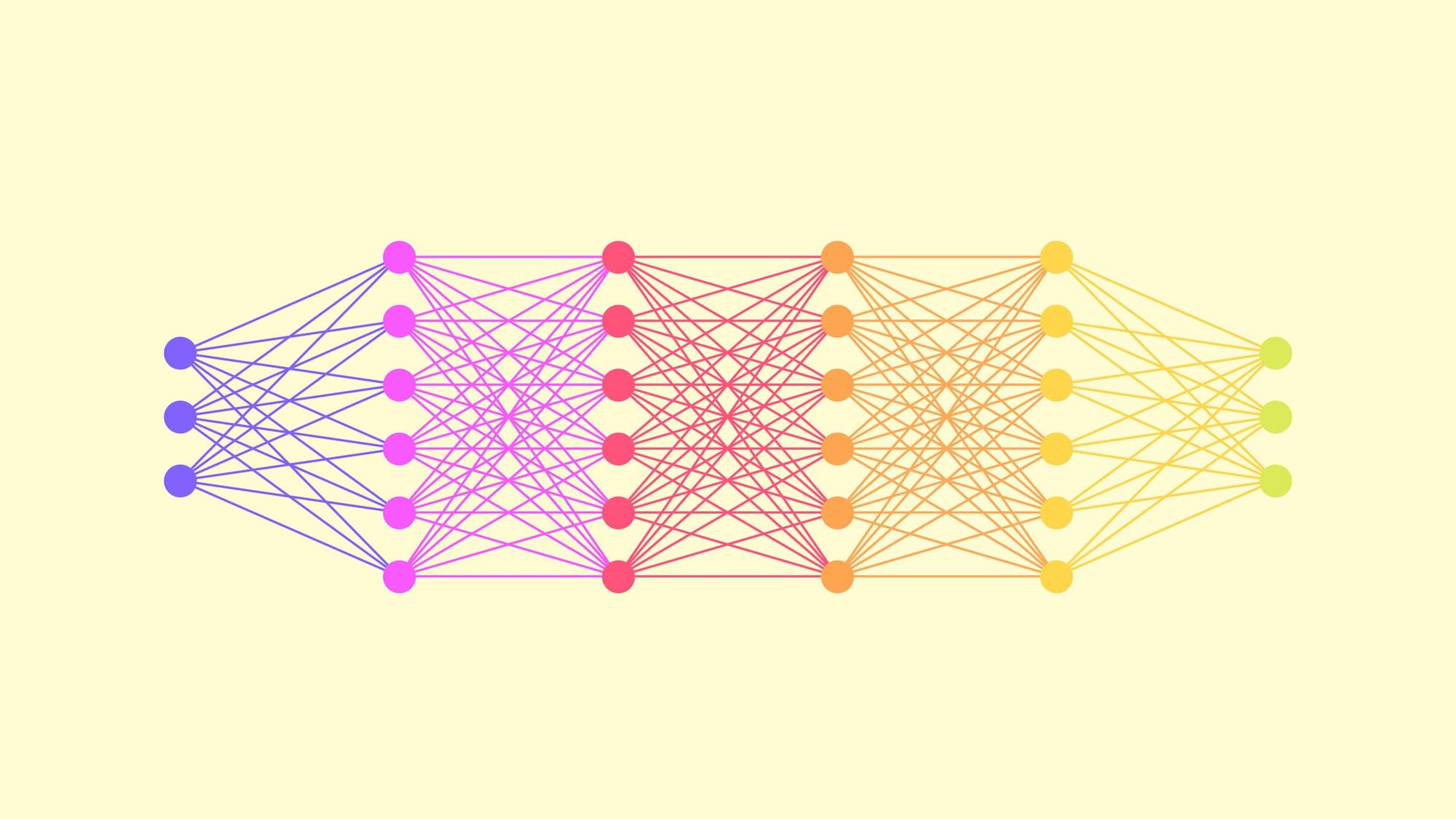
One way to think about these parameters is as tiny adjustable knobs inside a vast mathematical machine. During training, the model learns by adjusting those knobs over and over again until the network begins to recognise patterns in language, code and information. By the time training finishes, the positions of those billions of knobs represent everything the model has learned.
When a model runs, all of those parameters need to be loaded into very fast memory so the GPU can perform the calculations required to generate responses. That fast memory is VRAM, which lives directly on the graphics card.
If the model does not fit inside VRAM, the system has to start moving data between the GPU and normal system memory. When that happens performance drops dramatically.
This is where model size becomes important.
Most modern models are described in terms of how many parameters they contain. You will often see models described as 7B, 13B or 30B, where the B simply means billions of parameters.
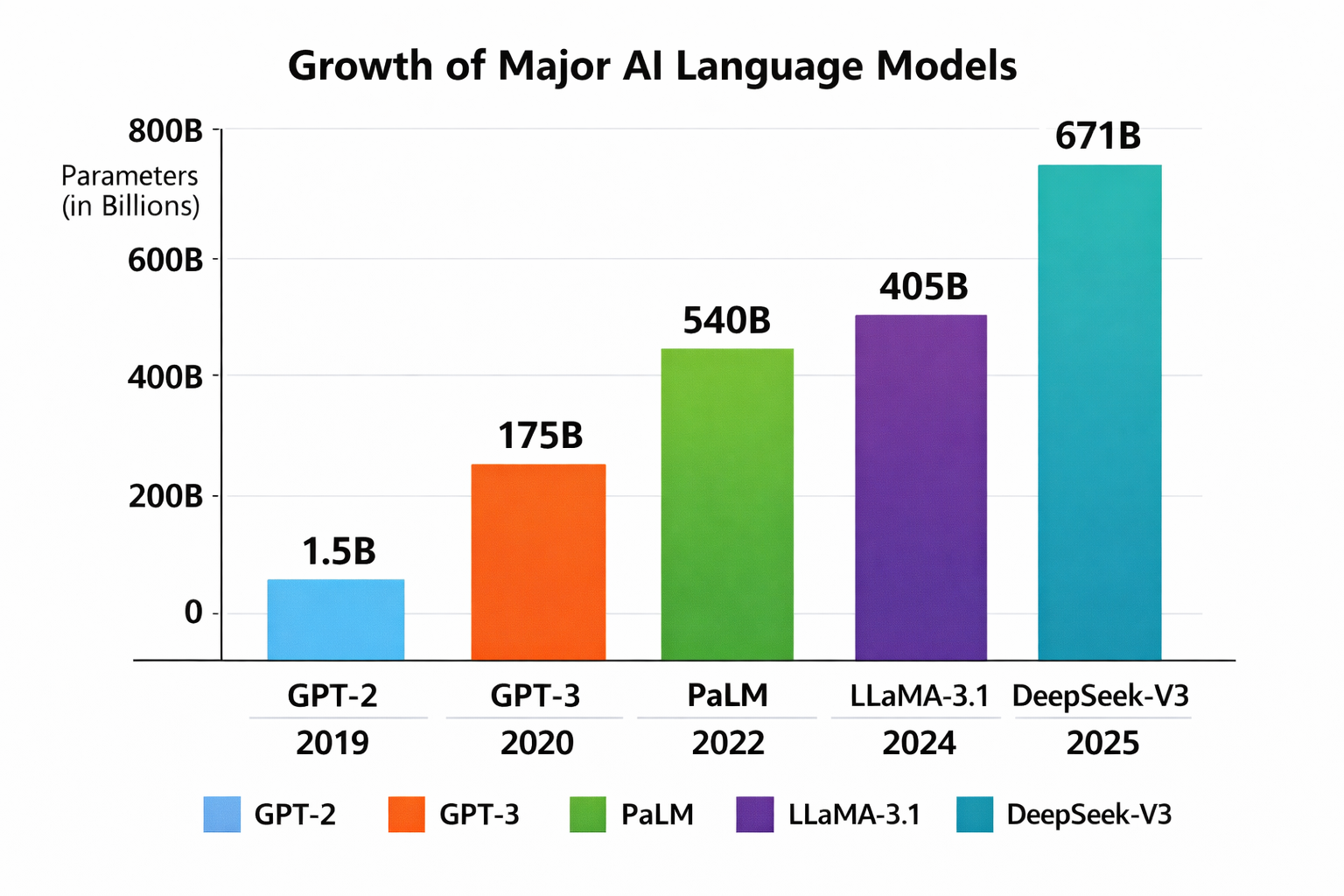
To put that into perspective, the original GPT-2 model released by OpenAI in 2019 had around 1.5 billion parameters. That is small enough to run comfortably on a modern desktop machine.
By the time GPT-3 arrived in 2020, the scale had increased dramatically. GPT-3 contains around 175 billion parameters, which requires specialised multi-GPU servers and enormous amounts of memory. That is far beyond what a single workstation like this can realistically run.
With those numbers, it quickly becomes obvious why most AI systems still run in large data centres.
The sweet spot for consumer hardware today sits somewhere in the 20 to 30 billion parameter range, particularly when models are compressed using techniques such as quantisation (a subject for another day!).
That is where cards like the RTX 3090 become very interesting. Its 24GB of VRAM is just enough to run models in that range locally without constant memory swapping.
Even buying the GPU second hand it was still the most expensive part of the build. The RTX 3090 cost around £700, which gives you some idea of how valuable GPU memory has become in the current AI landscape.
There is also another reason NVIDIA hardware dominates this area. Their CUDA platform has effectively become the industry standard for AI workloads. Most machine learning frameworks are optimised for CUDA, which makes NVIDIA cards the easiest and most reliable way to run models locally.
What the Machine Can Do
With the system up and running I can now run modern AI models entirely on my own hardware. That opens up a lot of interesting possibilities.
The most obvious use is experimentation. I can try different models, see how they behave, understand how reasoning changes between architectures, and explore how performance changes with different configurations. It also allows me to fine tune models using my own datasets, which is an important step towards building specialised AI tools.
I can also run a local AI assistant. The system exposes a web interface that I can connect to from anywhere on my home network. From a laptop, tablet or phone I can interact with the model in a similar way to cloud based tools.
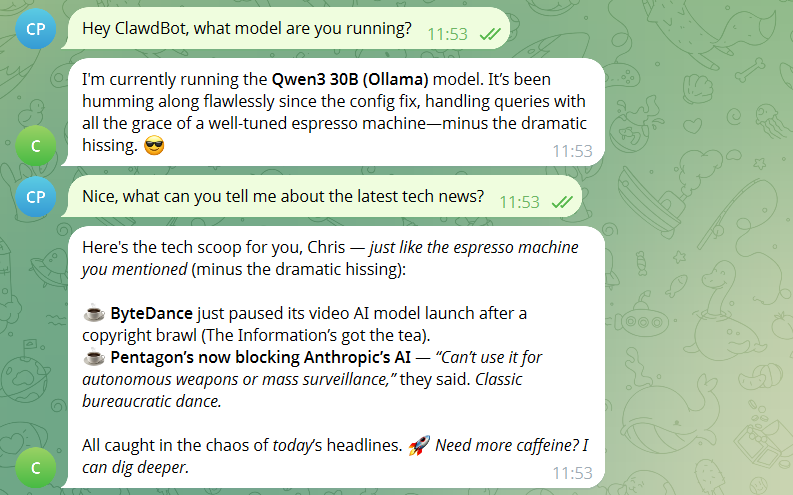
I have also integrated it with a small internal bot I deployed called ClawdBot / OpenClaw (see previous article). Previously it relied entirely on external APIs. Now it can connect to models running locally on my own hardware, which makes experimentation easier and removes the need to send data outside the network. Qwen3 does seem to make ClawdBot a bit quirkier though 😄
Integrating the Workstation Into My Homelab
The workstation is also part of a wider setup that I already run at home. I have a NAS that stores datasets, documents and other large files, and the AI machine connects to it for training data and experiments.
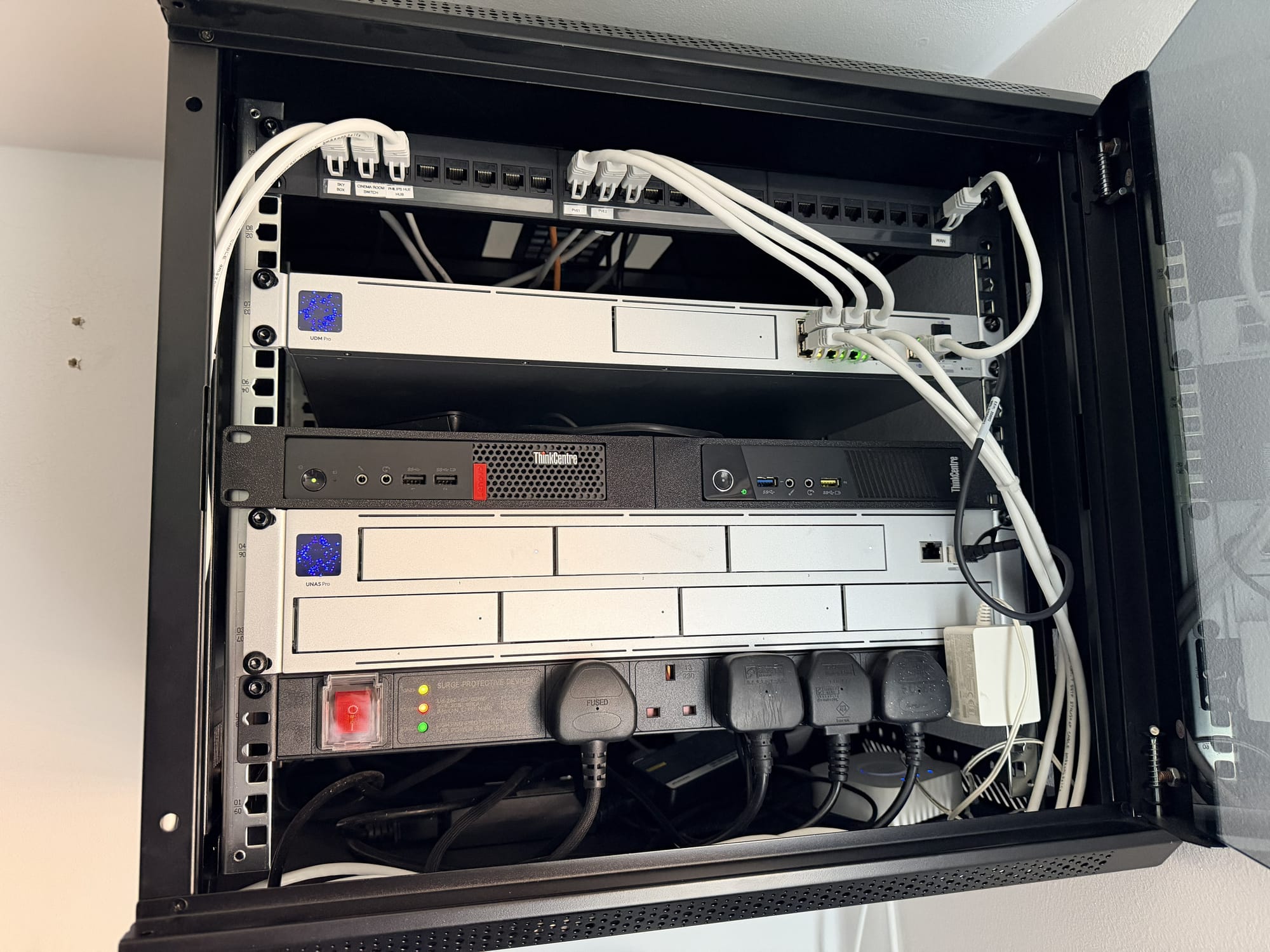
One thing I discovered fairly quickly is that the AI models themselves need to live on very fast local storage. Initially I tried hosting the model files on the NAS on the assumption that once it was loaded from disk that would be it, but during inference the system began generating heavy network traffic as data was repeatedly paged in and out of memory.
Moving the models back onto a local NVMe drive solved that problem immediately. The NAS now stores datasets and raw training material, which is a much better use of network storage.
To make the system easy to access, I separated the AI model itself from the user interface. The models run locally on the workstation using a tool called Ollama, which handles loading the model and using the GPU for inference. The web interface is hosted separately in my homelab on a Proxmox server using a lightweight container. I run OpenWebUI there, which provides a ChatGPT-style interface in the browser and connects to the workstation over the network.
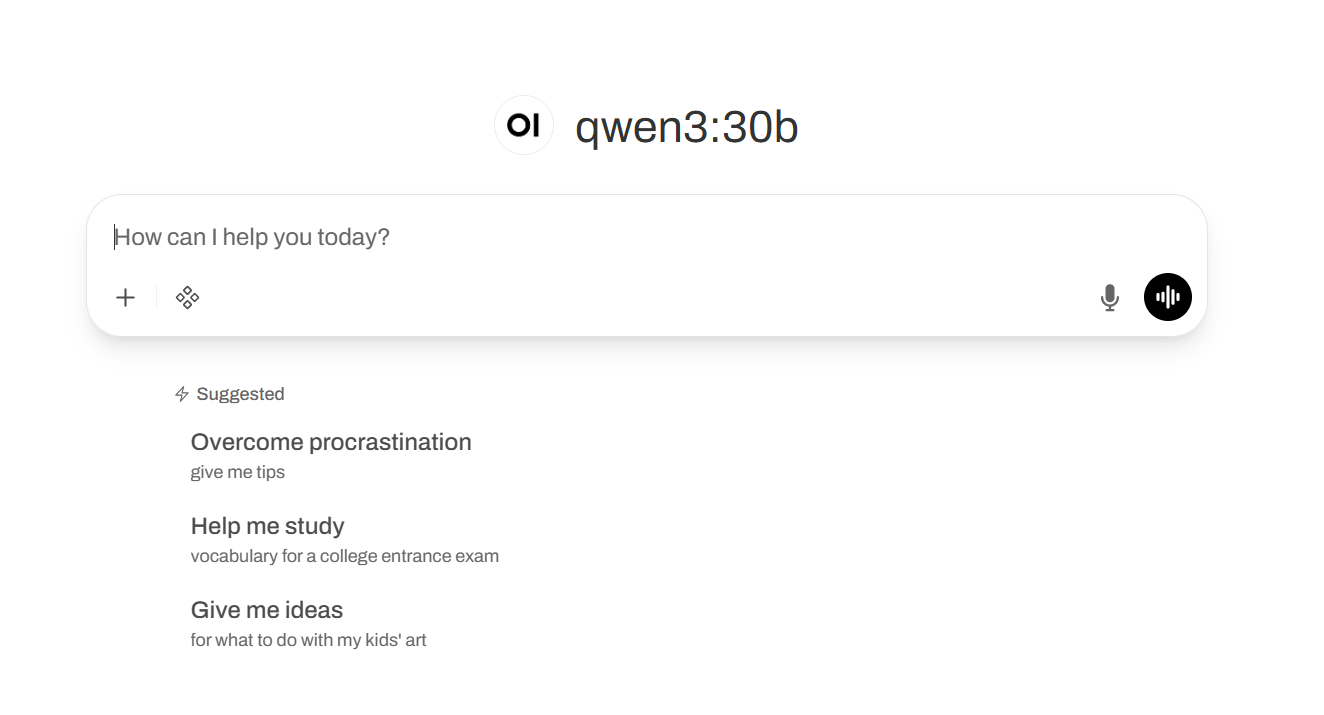
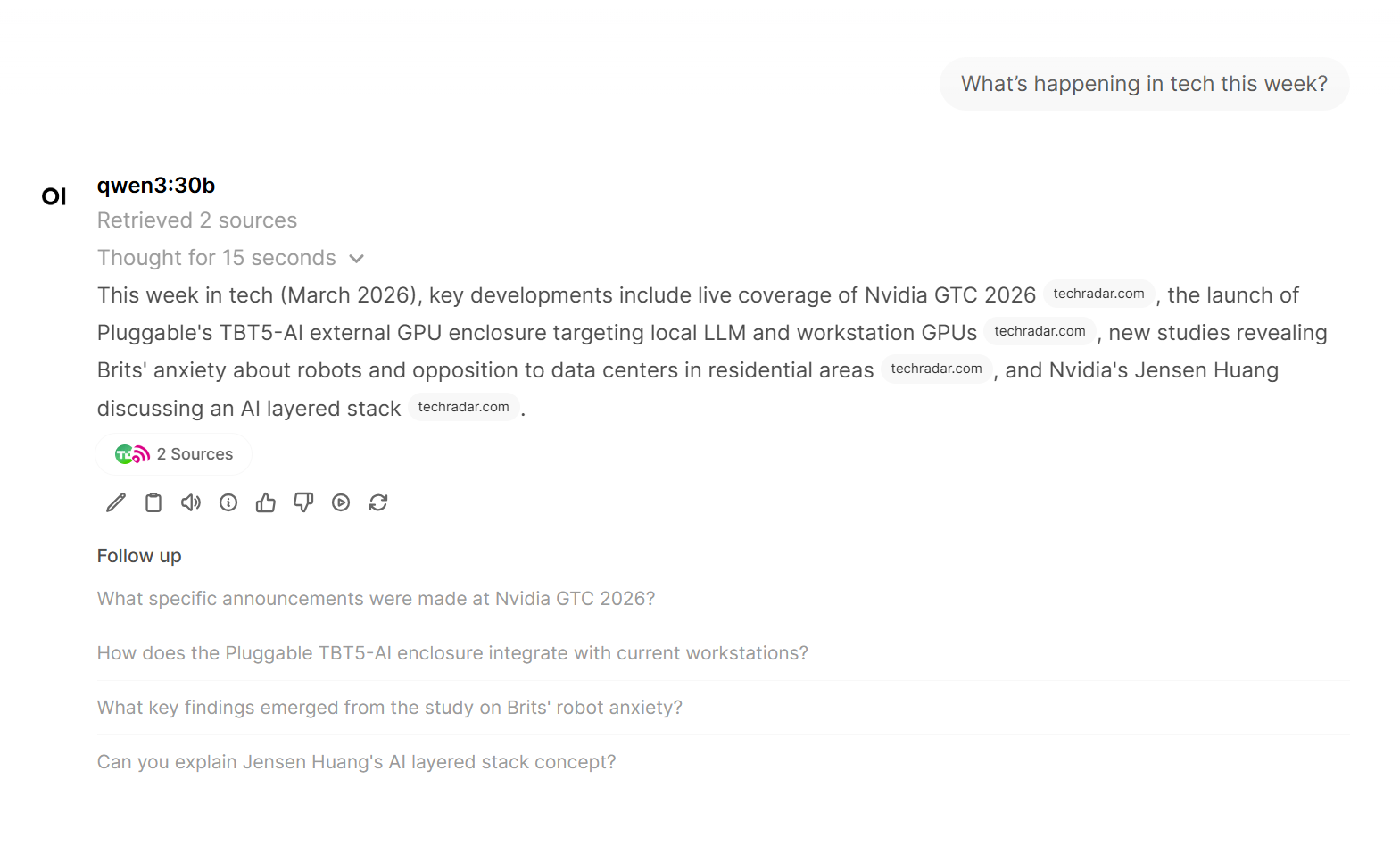
One interesting feature of OpenWebUI is that it can also give the model access to external tools. For example I have enabled web search, which allows the model to look up current information and include it in its responses. In effect the model can act a little like an agent, deciding when it needs to call a tool to retrieve information before generating an answer.
Why Local AI Is Getting Interesting
One of the most interesting aspects of this build is what it says about the accessibility of modern AI technology.
Only a few years ago running serious machine learning models required specialised servers and extremely expensive hardware. Today a single high end consumer GPU is capable of running surprisingly powerful models locally.
For small and medium sized businesses that creates some interesting opportunities. Local AI systems can be used for internal assistants, document analysis, coding support or specialised models trained on company knowledge.
Fine Tuning means that instead of using a general purpose model exactly as it was trained, it is possible to train it a little further on your own data so that it becomes specialised for a particular task or domain.
For example, a model could be fine tuned on internal documentation, support tickets or industry specific knowledge. The result is a model that understands the language, processes and terminology of a particular organisation much better than a generic AI system.
This does not replace cloud AI services. The largest models and the most advanced capabilities still live there. However, local AI is becoming a very practical complement, particularly when privacy, cost control or experimentation are important.
Future Upgrades
Like any technical project there is already an obvious upgrade path.
The RTX 3090 supports multi GPU configurations, which means I could add a second 3090 in the future. That would effectively double the available VRAM and allow much larger models to run locally.
For now though, a single 3090 is already capable of running models with tens of billions of parameters. That is quite remarkable considering the machine is sitting under a desk rather than in a data centre.
Final Thoughts
Building this workstation was partly driven by curiosity and partly by the desire to understand a rapidly evolving technology in more depth.
AI is increasingly becoming part of the modern software stack, and having hands on experience with how these systems actually run is incredibly valuable.
It also turns out that running AI models locally is far more achievable than most people realise.