Turning a New HaloPSA Opportunity into AI Sales Intelligence in Seconds


I remember back when we started IJYI how much time I used to spend fleshing out lead and opportunity data in our CRM tool - Microsoft Dynamics at the time.
Researching companies, understanding their likely pain points, checking financials and identifying key stakeholders was important. It meant we had better context for sales conversations and could avoid going into meetings cold, but it was also time-consuming.
That is the problem I have been revisiting recently, this time using HaloPSA, Power Automate and Azure AI Foundry Agents.
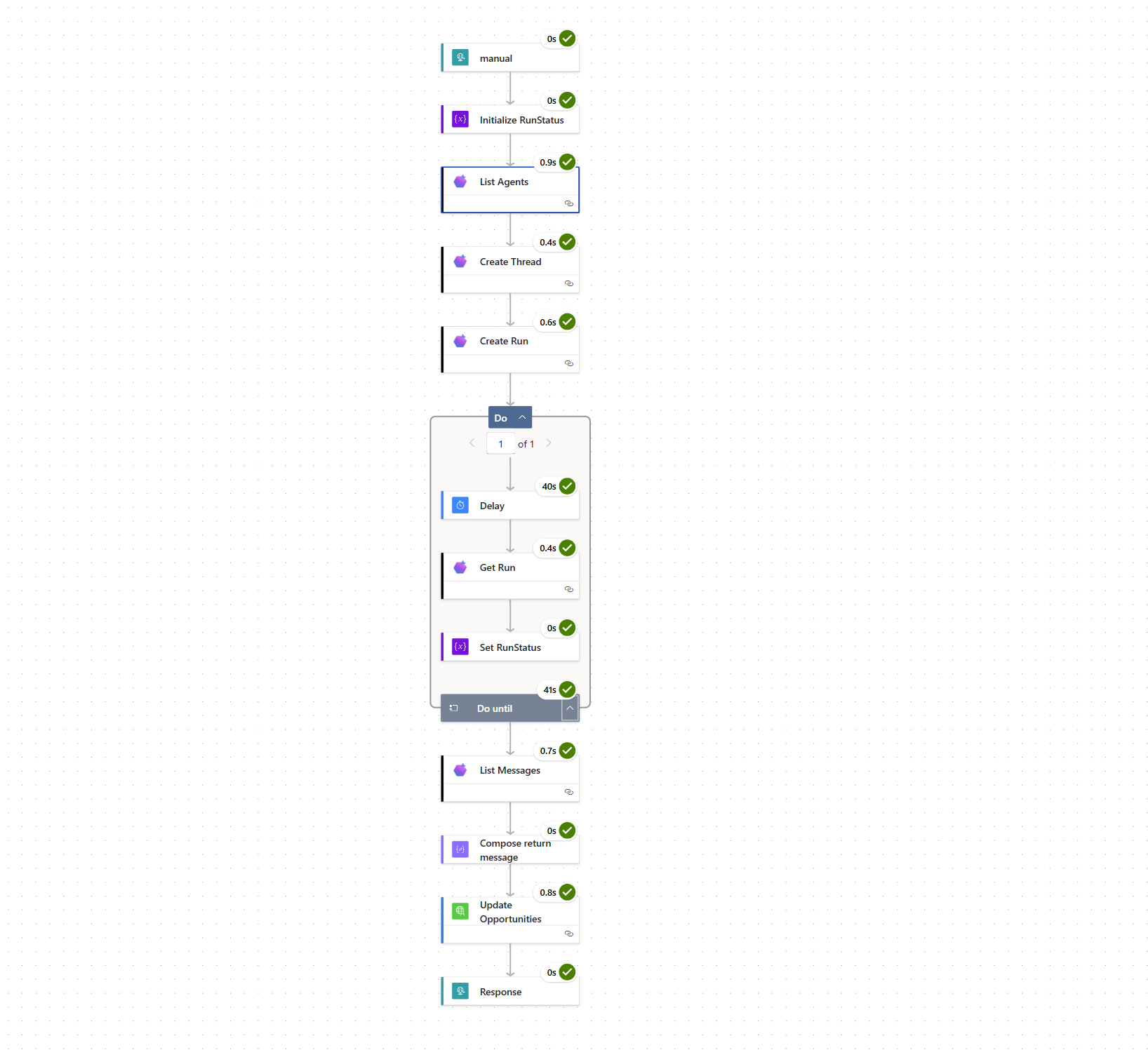
The workflow looks like this:
- HaloPSA sends an Opportunity webhook to Power Automate.
- Power Automate extracts the company details.
- An Azure AI Foundry Agent carries out targeted web research using Bing grounding.
- The agent interprets that research against IJYI’s services, experience and value proposition.
- A custom HaloPSA connector writes the structured output back into the Opportunity notes.
The enriched note includes:
- Company summary
- Relevant business and technology signals
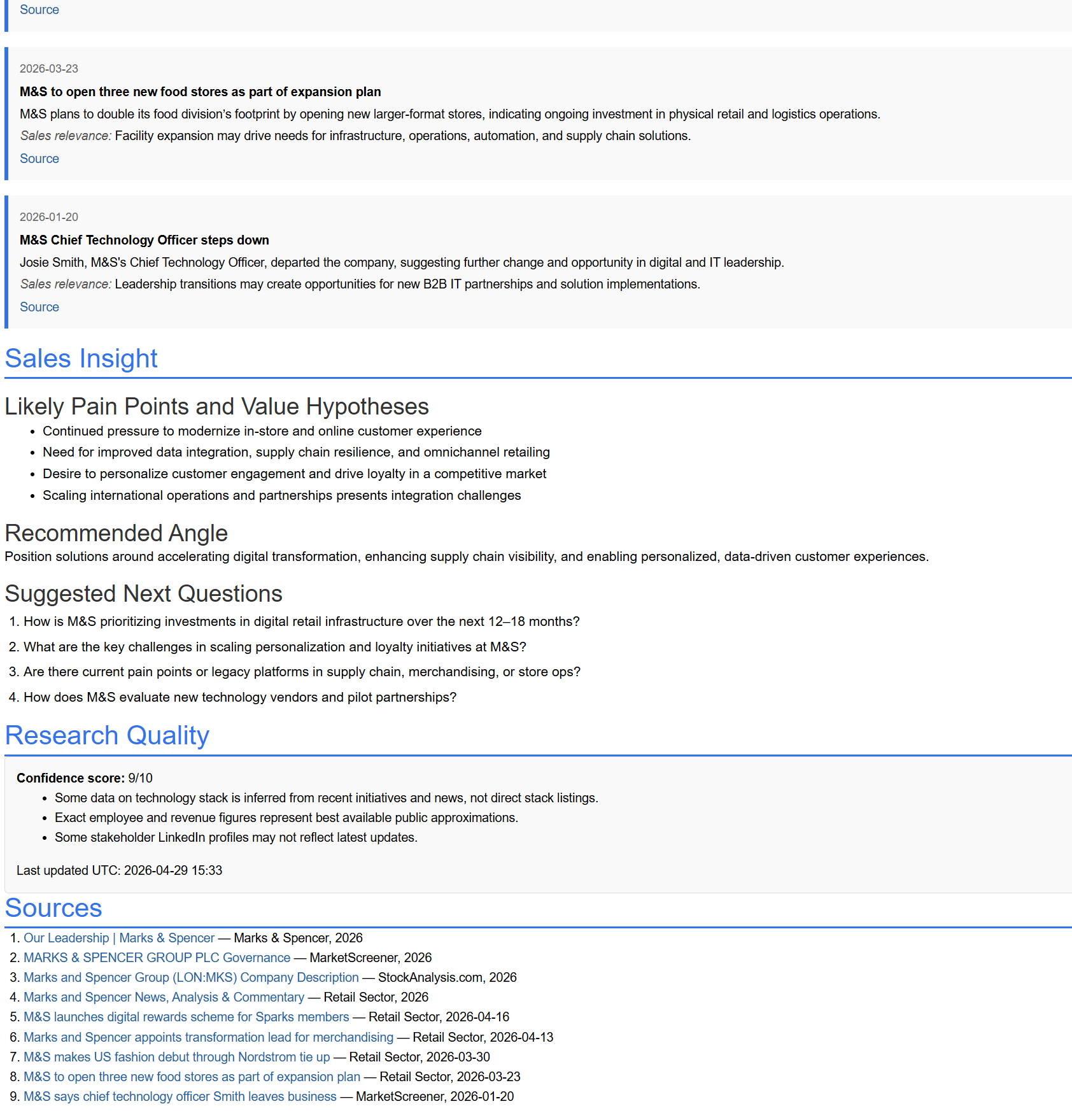
- Recent news with sales relevance
- Areas where IJYI may be able to help
- Suggested outreach angles
- Discovery questions for the first conversation
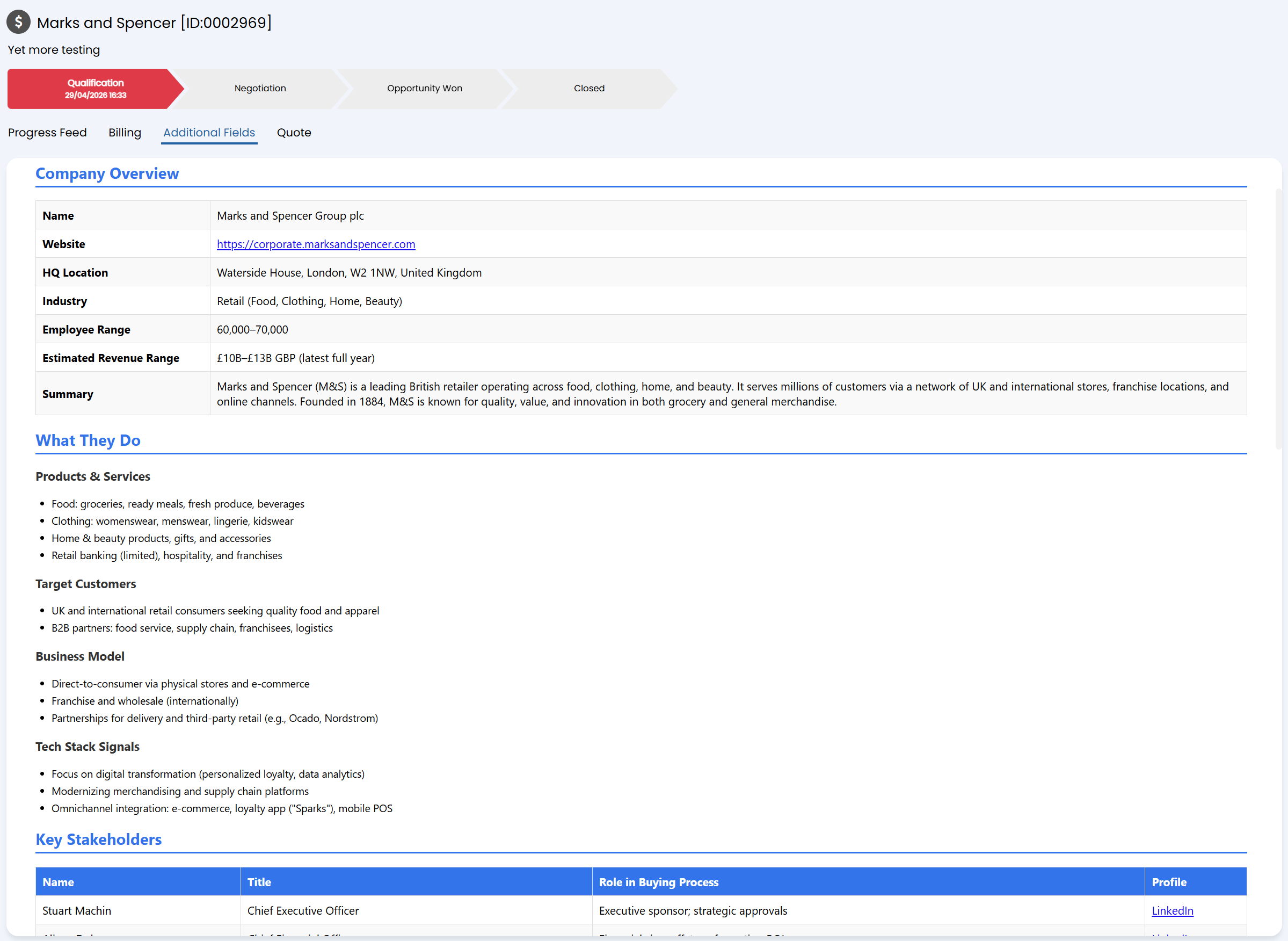
The output is grounded in public information, but shaped around the specific services IJYI provides. The agent knows what services IJYI provides, what our strengths are and the technology stack we work with and so it can combine this with information on our potential client to understand what to focus on.
Some of the practical engineering included handling the Azure AI Foundry Agent run lifecycle, polling for completion, extracting the assistant output safely, formatting the result as clean HTML, and updating HaloPSA cleanly through the API.
Creating a custom connector for the Halo API in Power Automate was an important part of making the workflow feel like a proper business process rather than a one-off automation. It meant I could wrap the Halo API operations I needed, such as retrieving opportunity details and writing enriched notes back into the CRM, behind reusable actions inside Power Automate. That made the flow cleaner, easier to maintain, and much more predictable. It also gave me more control over authentication, request structure, response handling and error behaviour, which is essential when AI-generated insight is being pushed back into a live CRM record.
The next step is to make the insight evolve as the opportunity evolves. When more information is added to the Opportunity, such as notes from a call, a clearer requirement, budget context or a specific business challenge, the automation can update the insights to be much more specific.