
There’s been a lot of noise lately around “local” AI agents. Mac Minis everywhere. Always-on assistants running quietly in the background. Demos that make it look like you’ve basically built your own personal AI sidekick.
There’s also been a lot of confusion. Different names for what seems to be the same thing. Strong claims about everything running locally. And plenty of people confidently misunderstanding each other.

Rather than arguing about it, I decided to install one and live with it for a bit.
This isn’t a product review or a pitch. It’s just a write-up of what this kind of system actually is, what “local” really means, why some people are getting the security model very wrong, and what I’ve ended up wiring it into.
A quick note on the names
What people are calling Clawdbot, Moltbot, and OpenClaw are really all the same open-source autonomous AI agent project, it’s just gone through a couple of name changes as it has grown. The software was first released as Clawdbot, briefly became Moltbot after a trademark issue, and then settled on OpenClaw in early 2026.
That history explains why there’s so much confusion when people discuss it online: depending on what article, demo, or social post you’ve seen, people might be using any of those names to refer to the same thing.
Essentially:
- Clawdbot was the original name
- Moltbot was an interim rebrand
- OpenClaw is the current official name
So when you hear people talk about Clawdbot as if it’s something different from OpenClaw, they’re often just using older terminology or referring to early builds.
What “local” actually means
This is where most of the confusion starts.
When people say these agents are “local”, what they usually mean is that the agent itself runs on their machine. The orchestration loop is local. State is local. Integrations are local. That part is true.
What’s usually not true is that all AI processing happens locally as well. In most real setups, including mine, the agent still calls out to hosted language models like GPT or Claude for reasoning and summarisation. That’s not a flaw. It’s a trade-off most people are making, whether they say it out loud or not.
The agent is local. The language model usually isn’t.
Calling this local-first makes sense. Calling it fully local without qualification is where things start to get misleading.
Just to be clear, this isn’t “nothing ever leaves the machine” AI. It’s a local agent with very intentional data flow and deliberately constrained access.
Why this matters for security
This is the bit that actually matters. It’s not really accurate to say that “nothing leaves your environment unless you wire it up that way” and stop there. In most setups, everything the agent reasons about goes through an LLM at some point. That LLM is very often a hosted service.
So data does leave your environment. The real question is what data, how much of it, and under whose control.
A local-first agent doesn’t magically make things safe. What it does is move responsibility from a vendor to you.
In this kind of setup:
- the agent decides what context to send to the model
- you decide what tools the agent can see
- and you decide whether raw data, partial data, or summaries are passed along
That’s very different from cloud assistants where ingestion is implicit and boundaries are opaque. But it still means you can mess this up.
And people are messing it up. We’ve already seen examples in the wild of:
- API keys and OAuth tokens leaked via public repos
- dashboards and admin endpoints exposed to the internet with no auth
- agents running with extremely broad permissions “for convenience”
- long-lived credentials sitting on always-on machines with no rotation
When you combine that with an agent that can read email, calendars, files, or financial data, the blast radius gets large very quickly.
The dangerous assumption is that “local” means “safe by default”. It doesn’t.
A badly configured local agent can actually be worse than a cloud service, because it runs continuously, accumulates access over time, and often isn’t being actively watched.
The real benefit of local-first isn’t that data never leaves the machine. It’s that data flow becomes a conscious design decision.
If you don’t do that work, you’re not getting security. You’re just running the risk closer to home.
What I’ve deployed
I’m not running this on a Mac Mini. It’s on a small Linux VM.
Proxmox host. Debian 12. No GPU. Modest CPU and memory. Boring on purpose.
I wanted something always on, isolated from my main machine, and easy to reason about operationally. Something that behaves like infrastructure, not a side project I have to keep restarting.
The install itself was straightforward. Install the OS, apply updates, install dependencies, install OpenClaw, and configure it to run as a long-lived service. If you’ve ever run any other background service on Linux, none of this will feel exotic.
What matters is the outcome. The agent starts with the VM, survives reboots, and quietly gets on with its job.
What it does for me
This is where it gets interesting.
On the personal side, it processes my Gmail inbox and produces a daily summary of the last 24 hours, with a clear “action required” section. It’s been tuned pretty aggressively to filter newsletters and promotions and to ignore things like parking receipts and routine payment notifications. Having it wired into Gmail means I can give it a few details like numbers and event type and ask it to check availability, and there’ll be a draft email waiting rather than a blank page.
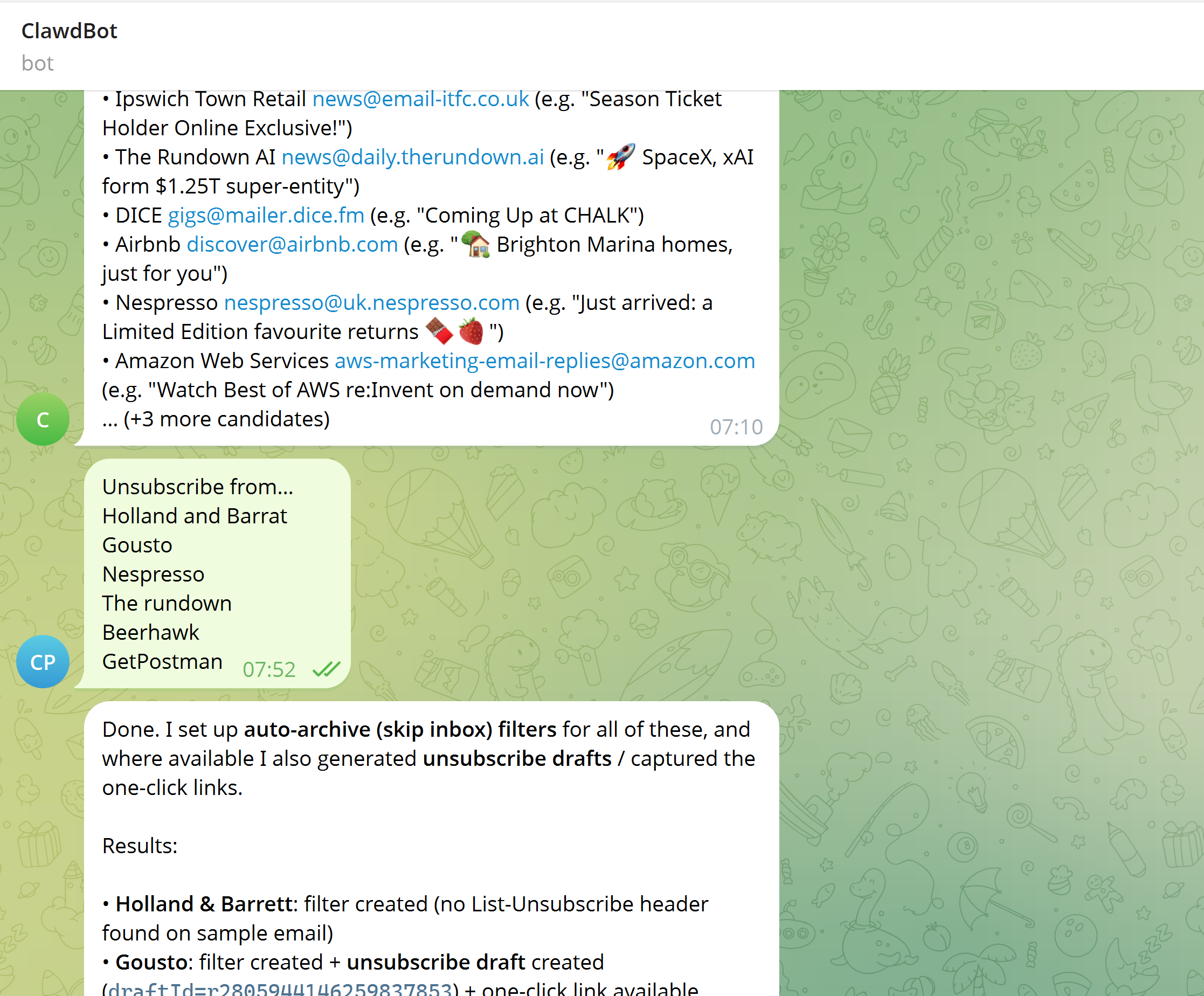
In a few cases, it’s gone further and helped clean things up properly by drafting unsubscribe emails and creating skip-inbox rules.
On the work side, it’s connected to Microsoft 365 with explicit Graph permissions. That lets it move emails into folders, create calendar events and planning blocks, and turn loose task lists into time-boxed TODOs. It’s also connected to OneNote, where it can create and update structured notes and keep context across related pages.
Then there are the smaller background jobs. Alexa announcements at predictable times. My UniFi router configuration checks that only shout if something genuinely risky changes. Bank statement scanning that syncs a specific folder from OneDrive, focuses on recent activity and finds areas I can save money. A Reddit watcher for a very specific monthly thread so I don’t have to remember when it appears. I even set it up to watch the East Suffolk planning portal and tell me when there were updates on a planning application I had in progress, simply by prompting it with "Watch this URL and tell me when these parts change".
None of these things are impressive on their own.
Taken together, they quietly remove a lot of low-grade mental overhead. That’s where the value shows up.
And about the JARVIS thing
I’ve seen setups like this described as “real-life JARVIS” more than once.
I get why people reach for that comparison. A background system that watches things and occasionally takes action is an easy mental leap. But this isn’t an AI butler with perfect context and unlimited capability. It’s a constrained system doing specific jobs reasonably well, most of the time.
What makes this useful isn’t sci-fi autonomy. It’s clear boundaries, limited scope, and taking small, boring bits of cognitive load off your plate.
For now, I’m treating this less like an assistant and more like an experiment in system design that happens to use an LLM.